Set up in two minutes
No forms to fill and no bank connection. You only need an email or a Google account.
Create your account
Sign up with email or Google, type your name, pick your currency and the categories you use. The Free plan is ready right away, and your first month of Pro is free.
Add your entries
Tap "Add" after every spend or income. Choose the category and account, and it is saved in seconds.
See and share
Check your balance, budgets and monthly reports, and invite family or partners to a shared book.
Everything your money book needs
Built for daily life in India: rupees by default, cash and UPI side by side, and books you can share.
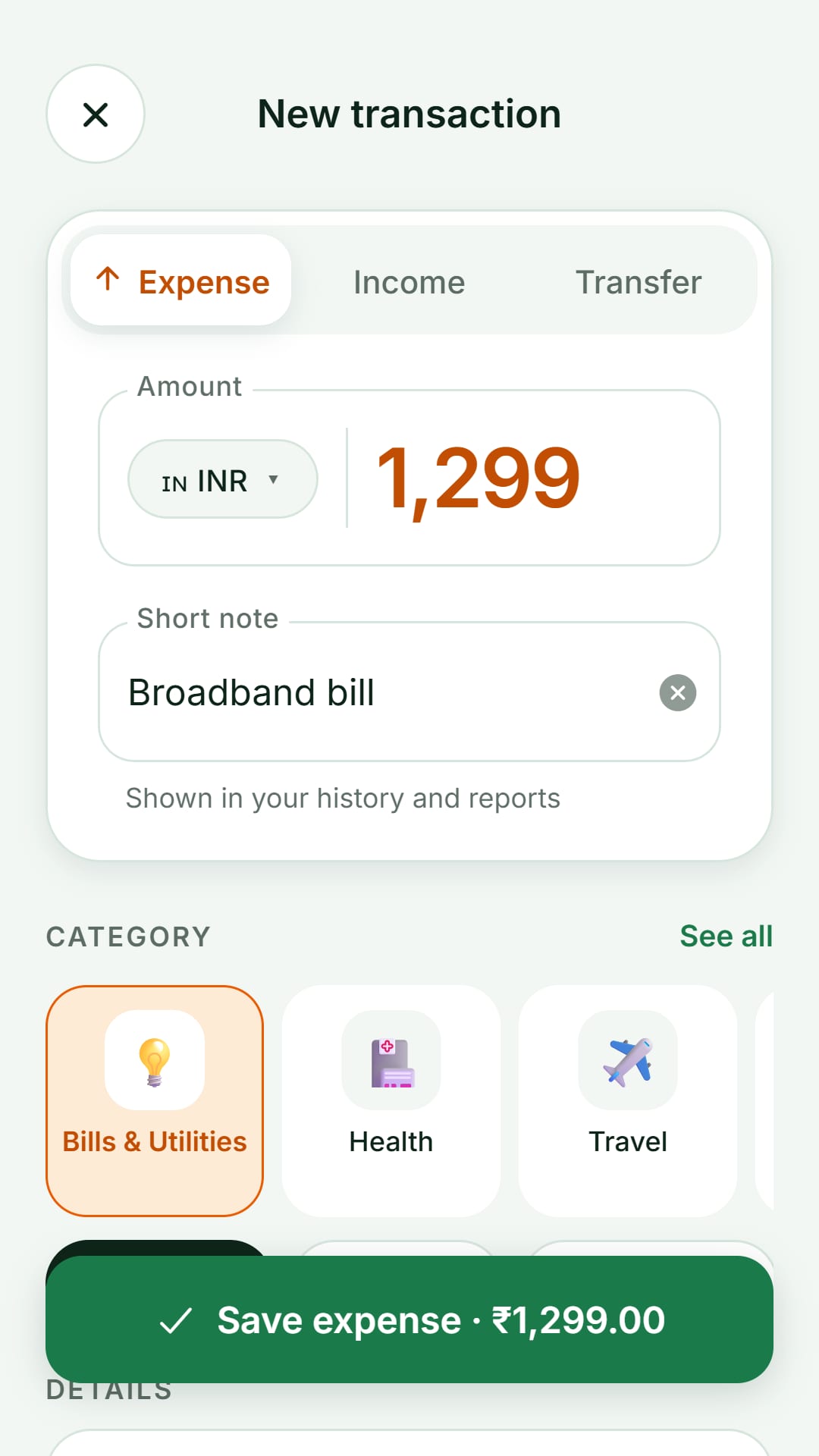
Record a spend in three taps
Pick Expense, Income or Transfer, type the amount and choose a category. Add a short note if you want, then save.
- Transfers between your own accounts
- Notes, dates and accounts on every entry
- Edit or delete any entry later
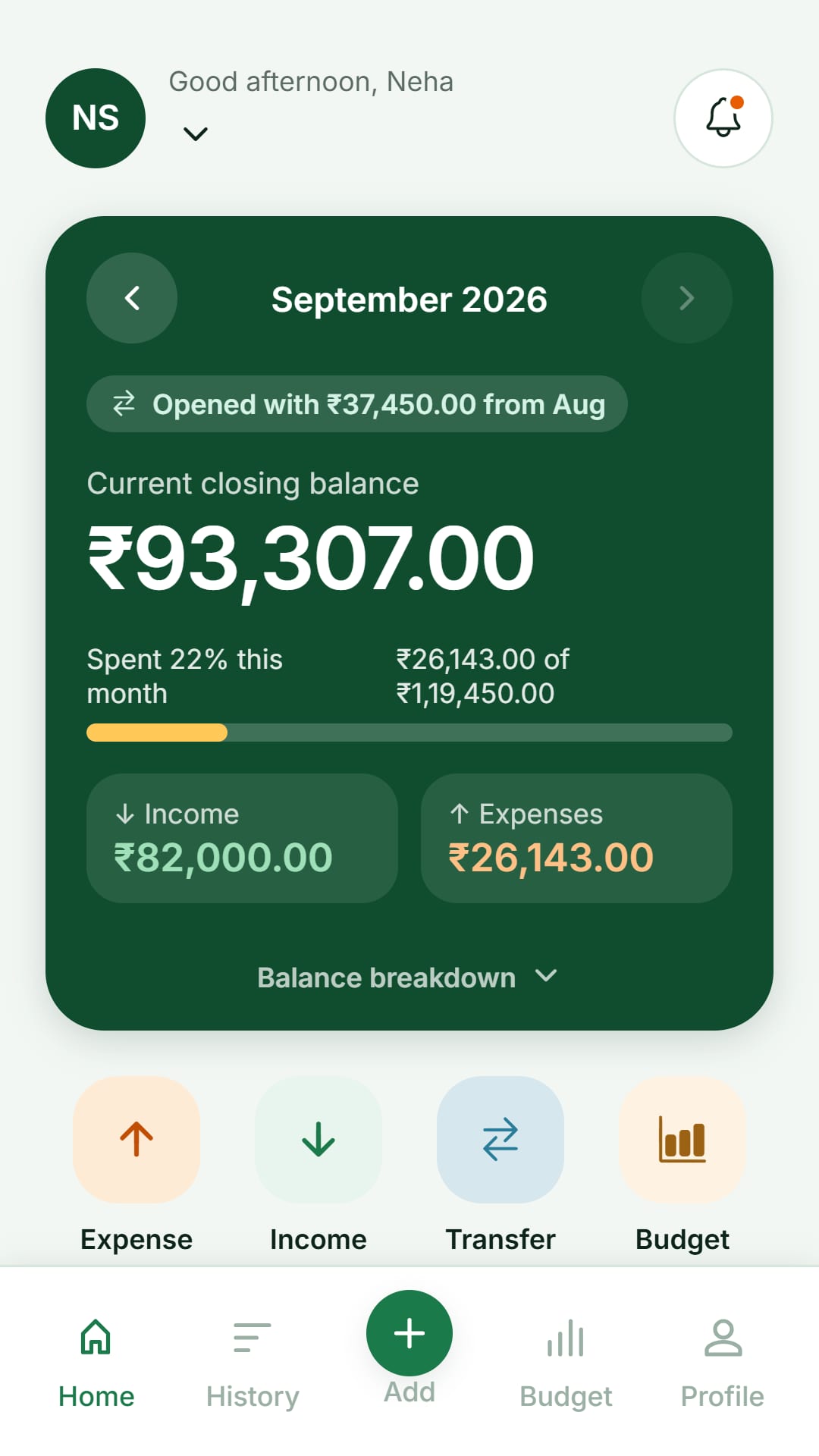
Your whole month at a glance
Opening balance, income, spending and closing balance for the month, with your latest entries underneath.
- Balance carried forward from last month
- Quick buttons for Expense, Income and Transfer
- Switch months with one tap
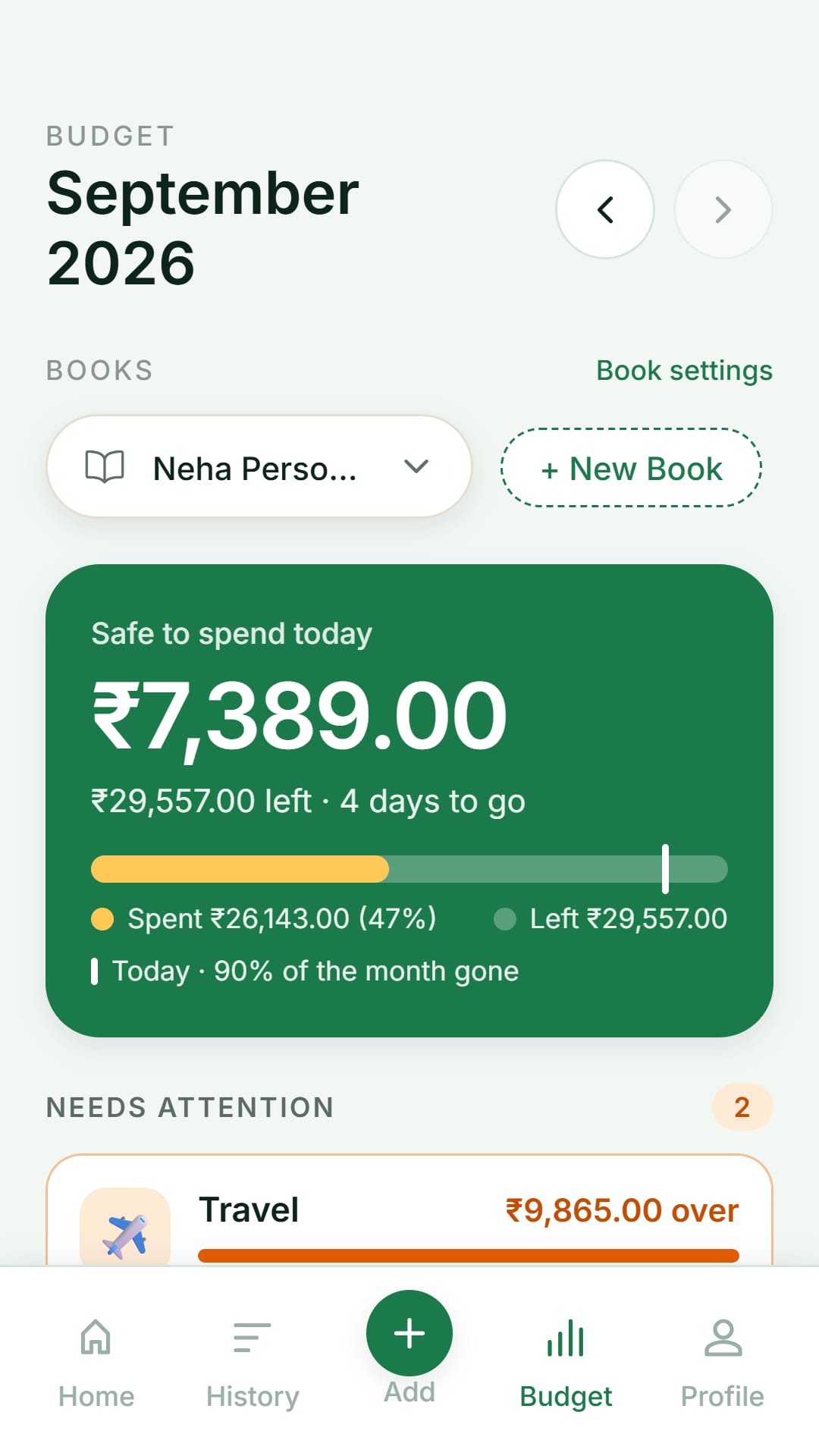
Know what is safe to spend today
Set a monthly limit for each category. OurHisab shows what is left for the month and alerts you when a category reaches 80% of its limit.
- A daily "safe to spend" figure
- Categories that need attention come first
- Alerts on your phone, right after you add a spend
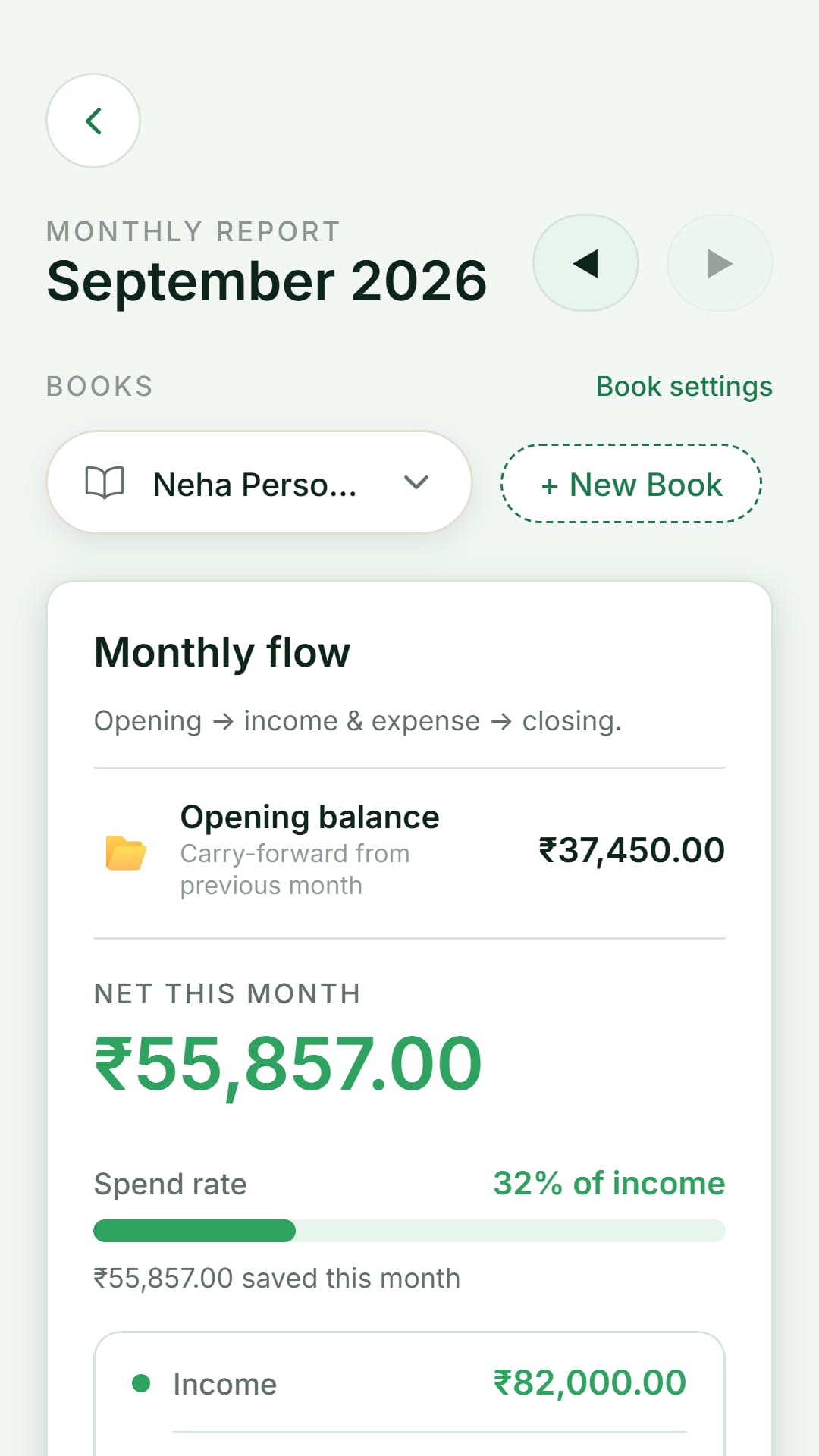
See where the money went
Monthly reports by category show your spending and savings rate. With Pro, export entries as PDF, Excel or CSV for your accountant or taxes.
- Month-by-month flow and savings
- Spending split by category
- PDF, Excel and CSV export with Pro
History
Every entry, month by month, with search and filters by date or category.
Accounts
Cash, bank, UPI and cards as separate accounts, each with its own balance.
Your categories
Start from ready-made categories and add, rename or archive your own.
Other currencies
Keep a book in another currency for travel or family abroad (Pro).
Sync across devices
Sign in on a new phone and your books, entries and budgets are all there.
Reminders
Alerts for budgets, invites and shared-book activity, so nothing slips.
One book for the whole family, or the whole shop
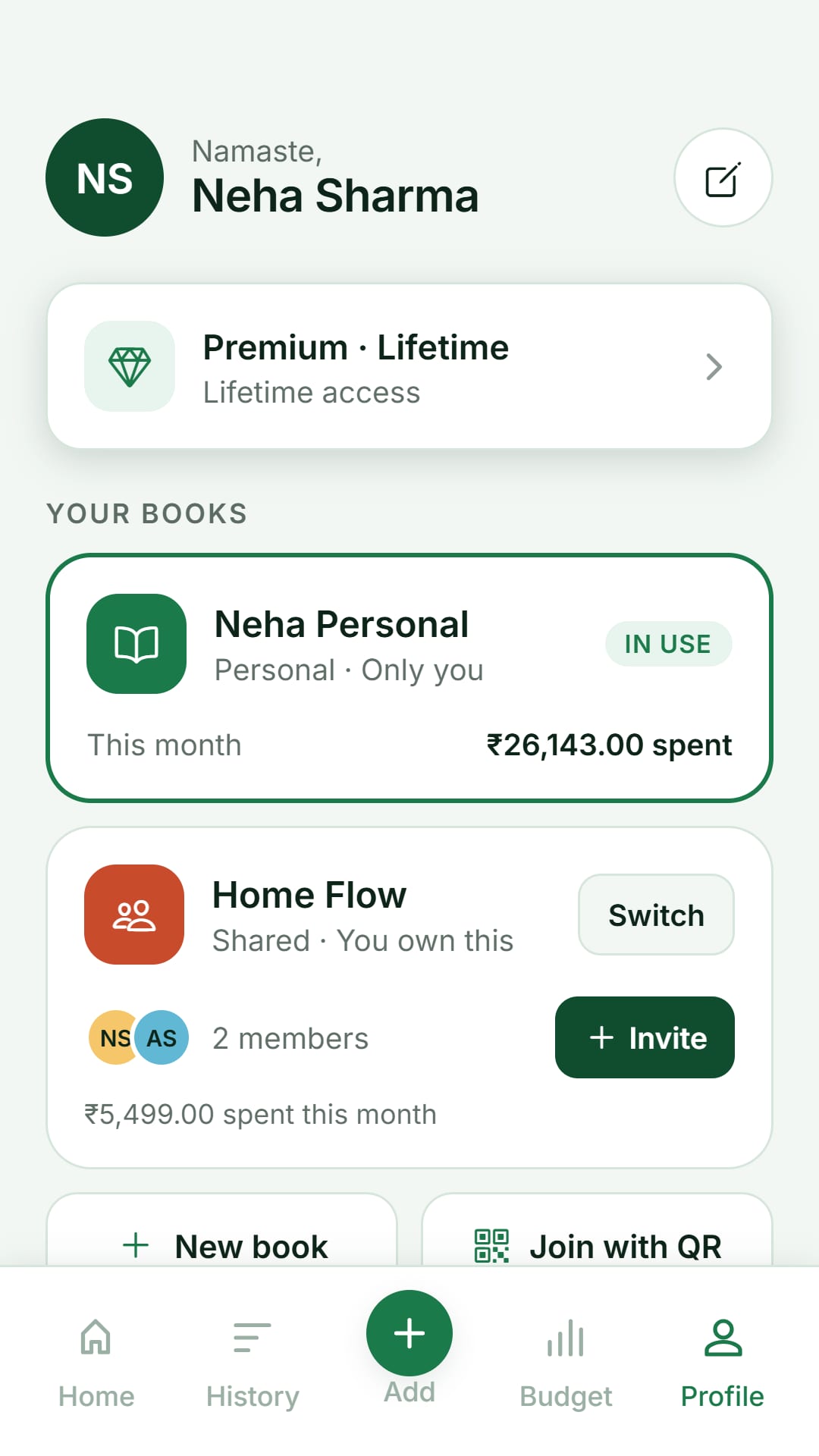
Invite people with a link or a QR code. Everyone adds entries to the same book and sees the changes instantly, without refreshing.
Family
Groceries, school fees and bills in one place for both parents.
Shop or business
Partners and staff record sales and expenses the same day.
Trips
Friends log what they paid, so settling up is easy.
Roommates
Rent, electricity and groceries, split without arguments.
Shared books are part of Pro. Owners decide who can invite others and can remove members at any time.
Learn the app in 40 seconds, in your language
The same short walkthrough in English, Gujarati and Hindi. The full written guide is also inside the app, under Profile → App guide.
- Add an entry
- Home and History
- Budgets and accounts
- Reports and export
- Shared books
Free to use, Pro free for a month
The Free plan is free for as long as you like. Every new account gets its first month of Pro free, with no card and nothing to cancel. After that, pick a monthly, yearly or lifetime plan, or carry on with Free.
- 1 personal book
- Unlimited entries, accounts and categories
- Budgets, alerts and monthly reports
- Shared books
- Export and other currencies
- Ad-free
- Everything in Free
- Unlimited books, including shared books
- Other currencies
- Export to PDF, Excel and CSV
- No ads
Prices are for India. Outside India the app shows the price in your currency before you pay. Cancel any time from Play Store → Payments & subscriptions, or on iPhone from Settings → your name → Subscriptions.
Questions people ask
Is my data safe?
OurHisab never connects to your bank and never asks for card numbers, bank passwords or UPI PINs. You type your own entries. Data travels over an encrypted connection, and only you and the members you invite can see a book.
What happens when the free trial ends?
Nothing is charged: the free month needs no card. The app reminds you the day before it ends, then asks once whether to buy a Pro plan or carry on with Free. On the Free plan, your first personal book stays fully usable, and your other books and shared books become read-only. Nothing is ever deleted, and everything unlocks again as soon as you get Pro.
Can I use OurHisab on two phones?
Yes. Sign in with the same account and everything syncs: books, entries, accounts and budgets.
Is the app available in Gujarati or Hindi?
The app screens are in English. The in-app guide and the videos are available in English, Gujarati and Hindi.
How do I cancel Pro?
Cancel from the store you bought it in: Google Play → Payments & subscriptions, or on iPhone, Settings → your name → Subscriptions. Pro stays active until the end of the period you paid for.
How do I delete my account?
Follow the steps on our account deletion page, or in the app open Profile → Settings → Data & Privacy → Delete account. Your books and personal data are removed; entries you added to other people's shared books stay in those books.
Made in Rajkot by HnD Infotech
OurHisab is built and run by HnD Infotech, a software company in Rajkot, Gujarat. We made it for the way Indian families and small businesses actually keep accounts: a shared hisab that everyone can add to, in rupees, with cash and UPI side by side.
Questions, feedback or a problem with your account? Write to us and a real person from our team will reply.
- Company
- HnD Infotech
- Location
- Rajkot, Gujarat, India
- Product
- OurHisab for Android and iPhone
- Grievances
- Grievance officer, at the email below

Get OurHisab
Now on Google Play, with the App Store to follow. The Free plan needs no card, and your first month of Pro is free.